Start hereQuick startMenu
Quick start
Eight steps, in this order. Nothing trades until the last one, and the dashboard tells you what is still missing.
Connect your wallet
Open the app and press Connect wallet at the top of the page. Then sign the message your wallet shows. It only proves the wallet is yours: it costs nothing and moves no money.
Some exchanges use a Solana wallet instead. You can connect one too, from the account menu at the top of the dashboard, whenever you need it.
Tick your exchanges
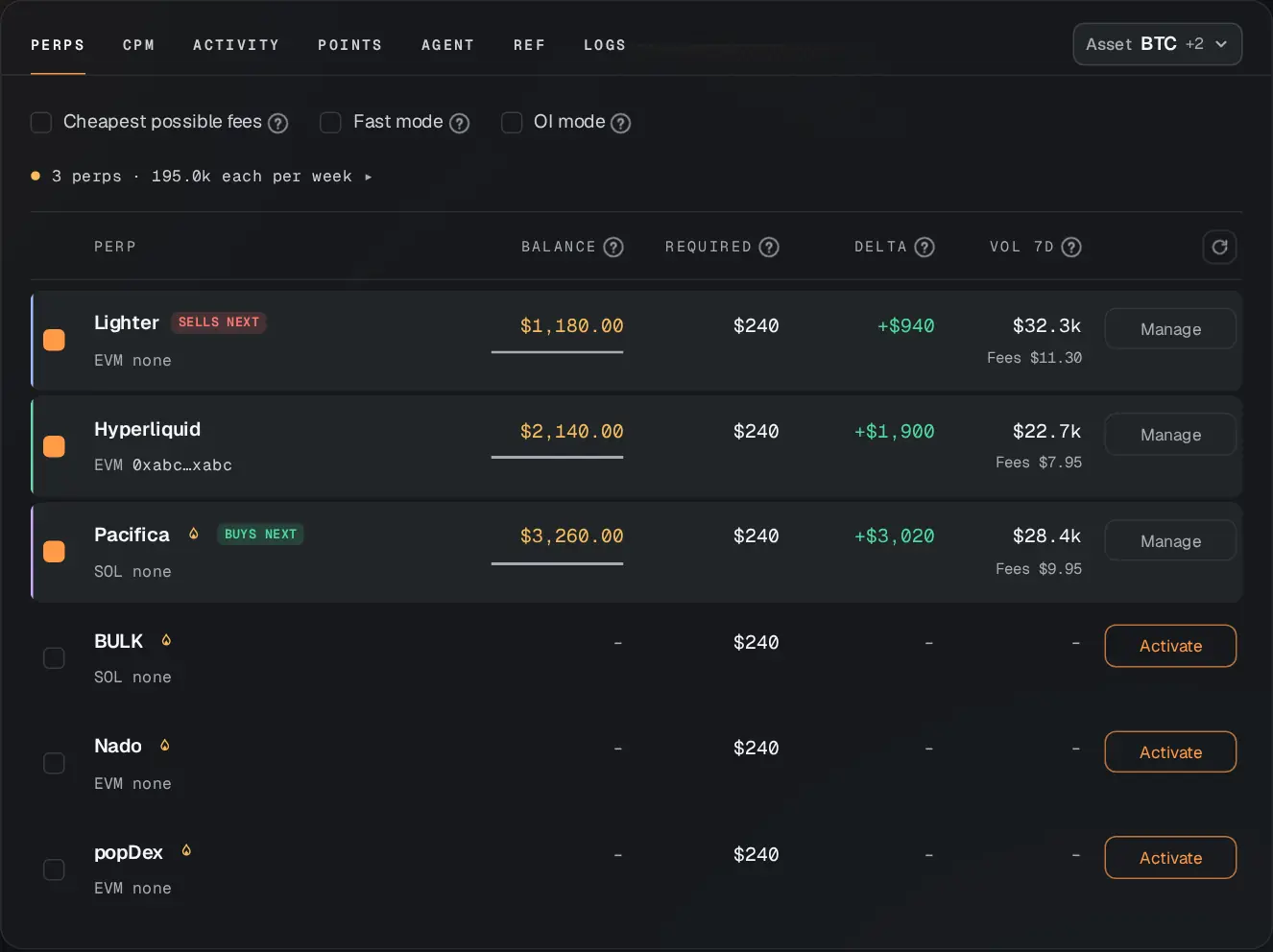
On the Perps tab, tick the box next to each exchange you want to use. Every loop buys on one and sells on another, so you need at least two. The Free plan trades 2 at a time; paid plans can tick them all. See the exchanges.
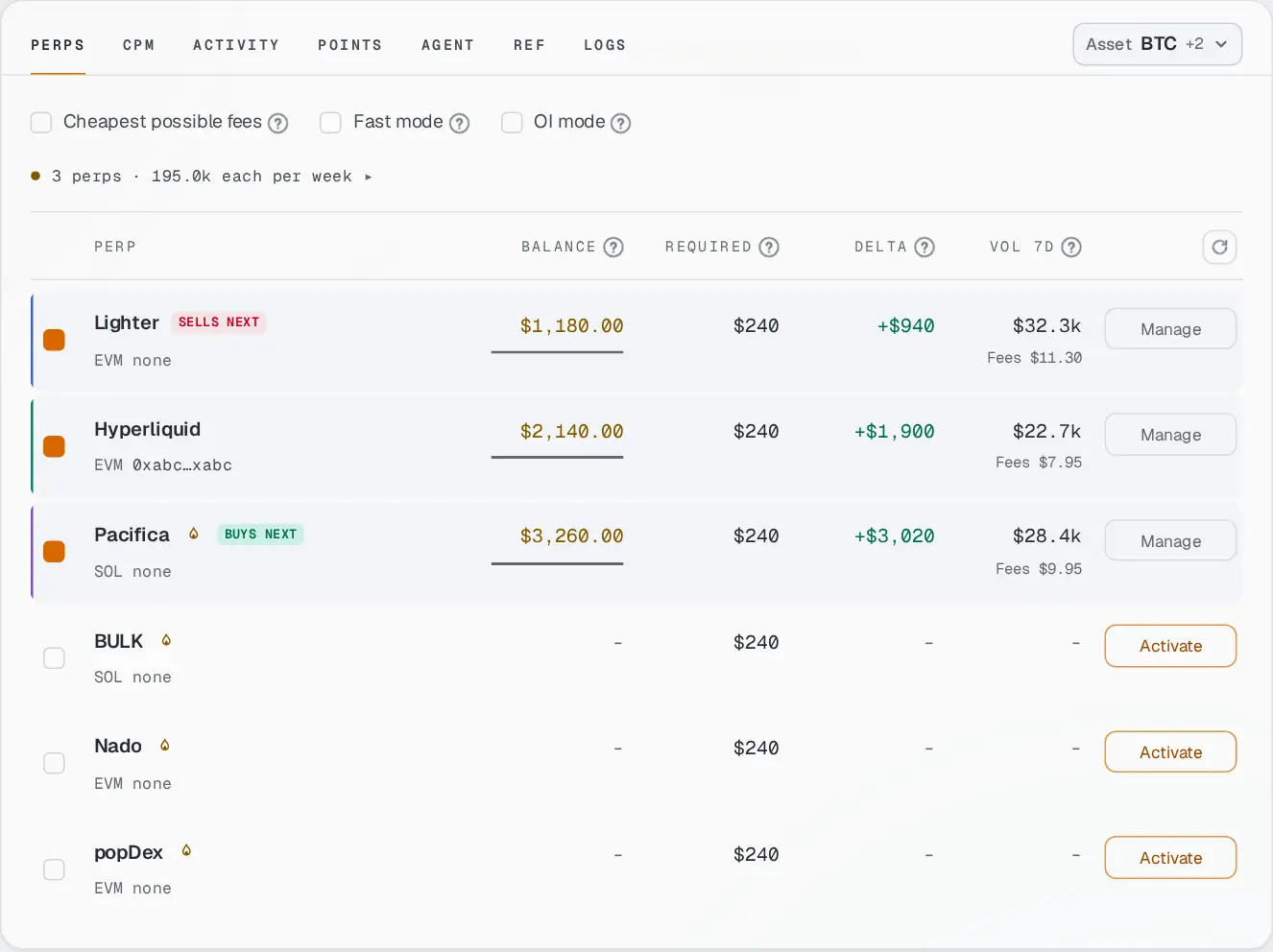
The Perps tab. Ticked exchanges are highlighted. Activate a key on each
Press Activate next to each ticked exchange. Your wallet asks you to sign once. That creates a trading key for Zeron on that exchange: it can open and close trades, it cannot take your money out. Why it is safe.
Put money on each
Deposit on each exchange’s own website, into your own account there. Press Manage on an exchange to see how to set it up and where to deposit.
How much? Look at the Required column. It is what each exchange needs for the weekly volume you choose. Delta shows the difference: below zero, add that much, or that exchange sits out.
Pick what to trade
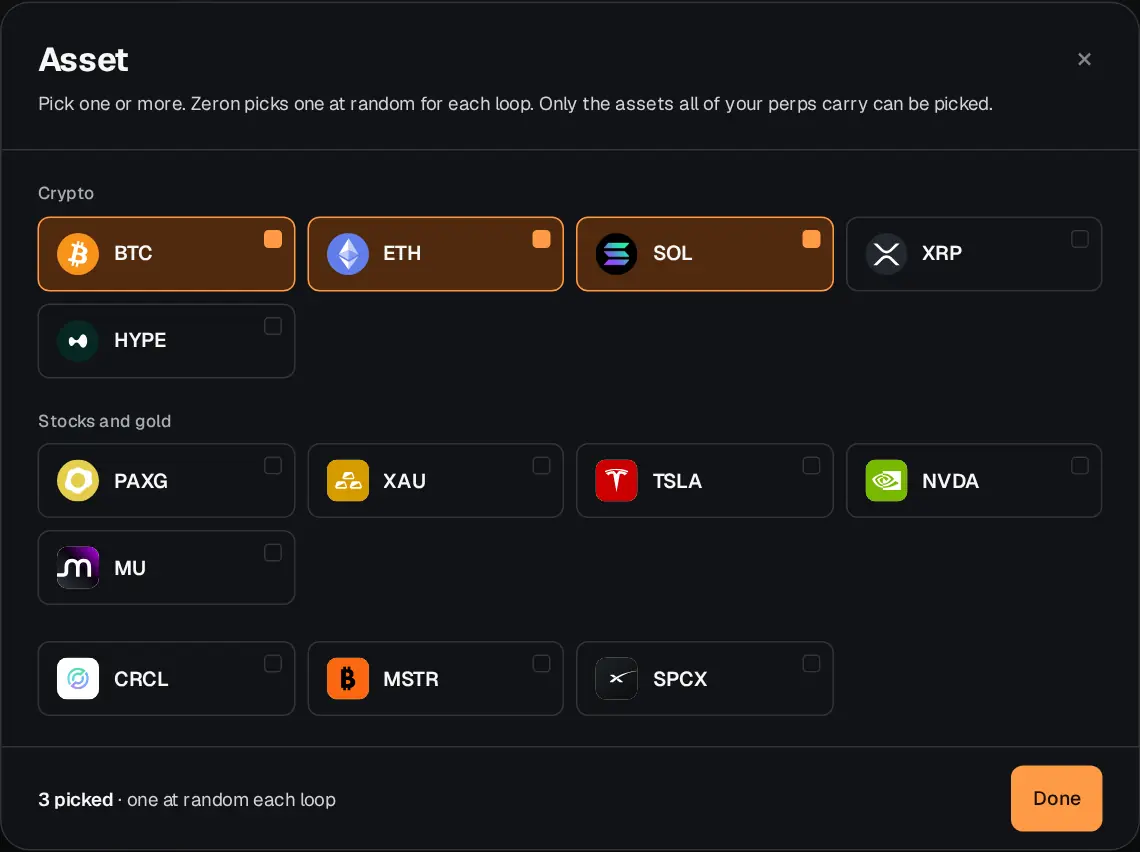
Press the Asset button, top right of the tabs, and pick one or more assets. With several, Zeron picks one at random for each loop. Only the assets that all your ticked exchanges trade can be picked. More on assets.
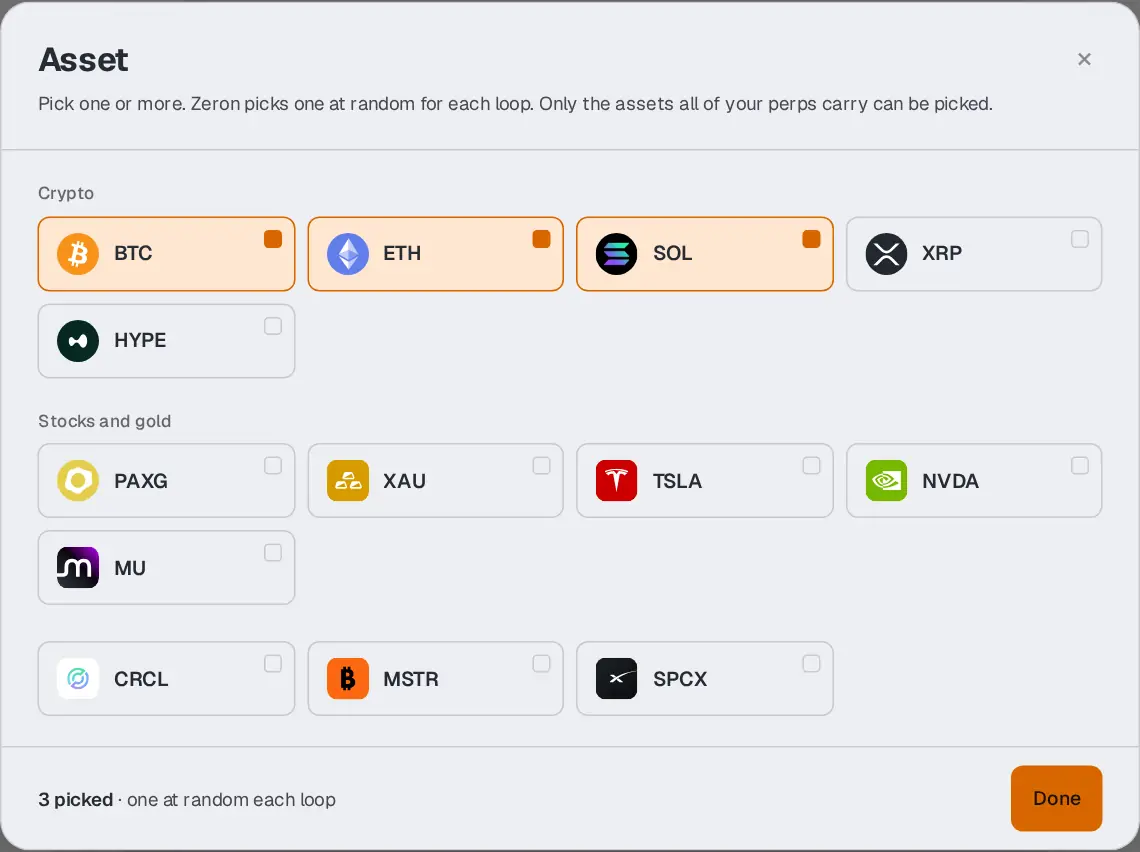
Three assets ticked: Zeron draws one of them for each loop. Choose a weekly volume
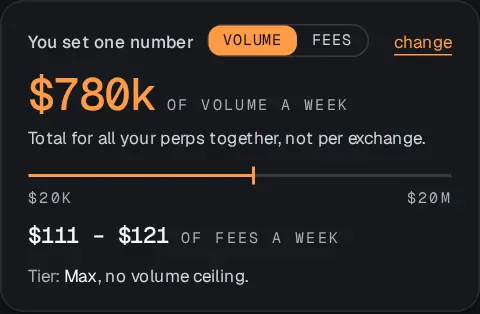
This is the one number you set: how much trading Zeron does for you each week, for all your exchanges together, not per exchange. More volume means bigger trades, more fees, and more money needed on each exchange. You can set it in volume or in fees: the other figure moves with it. More on weekly volume.
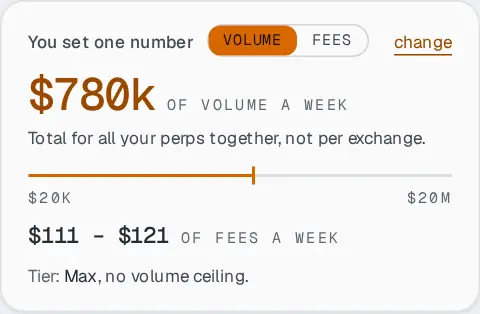
The weekly volume card. Try one loop by hand (optional)
Want to see it work first? Press Run semi-automatic now. Zeron runs a single loop right away, so you can watch a full round trip. The Free plan allows one a day; paid plans, as many as you want.
Turn the autopilot on
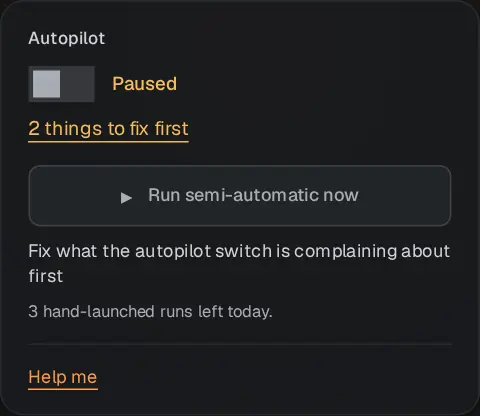
Flip the Autopilot switch. From now on Zeron runs loops on its own. If something is still missing, the switch stays paused and lists what to fix first.
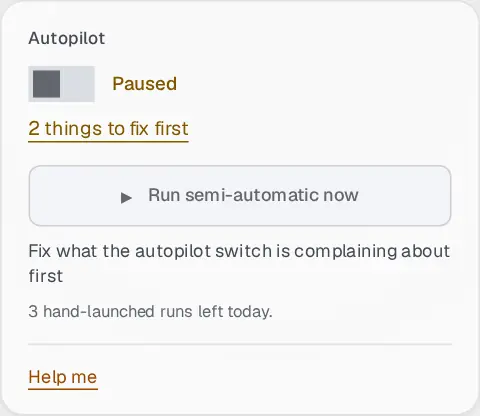
Paused: the link lists what is still missing.